
Free and Paid AI API Selection Guide
A detailed guide to the most recommended AI service providers in 2025, including free options like Google Gemini, OpenRouter, SiliconFlow, as well as selection advice and usage tutorials for paid services like OpenAI and Anthropic Claude.
There are many free AI services available, but most free offerings are chat-based. Many applications now require users to bring their own API keys for AI services. Since AI technology is inherently expensive to operate, API calls usually require payment.
But where there's a will, there's a way - there are still some free or low-cost options available.
Here's a summary of currently useful AI providers, both free and paid, for your reference.
Free Options
Google Gemini
Recommended for:
- Partially free usage (though free quotas seem to have tightened recently)
- Excellent performance with high-quality summaries
- Supports ultra-long context
- Fast response times
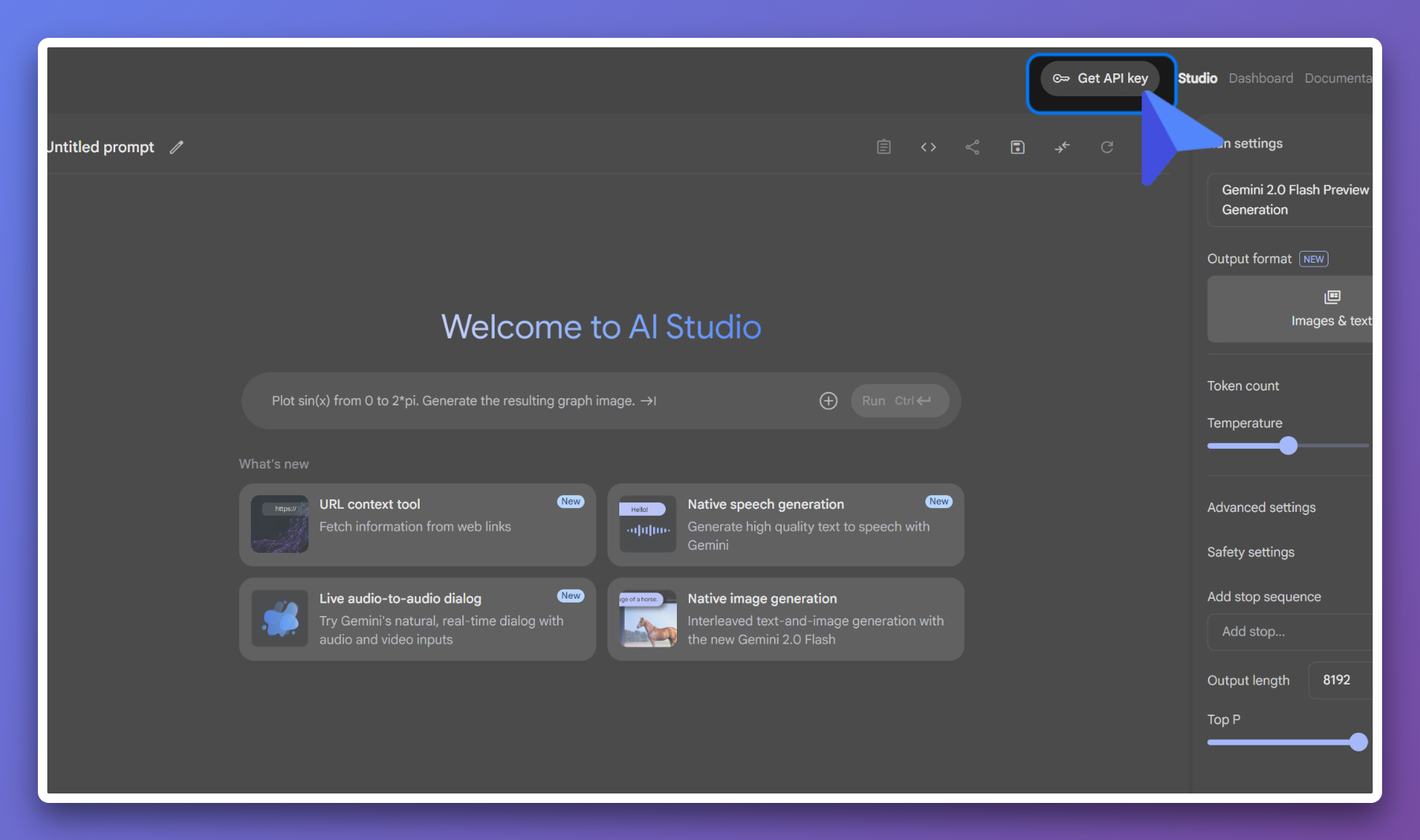
How to get started:
- Visit Google AI Studio
- Sign in with your Google account
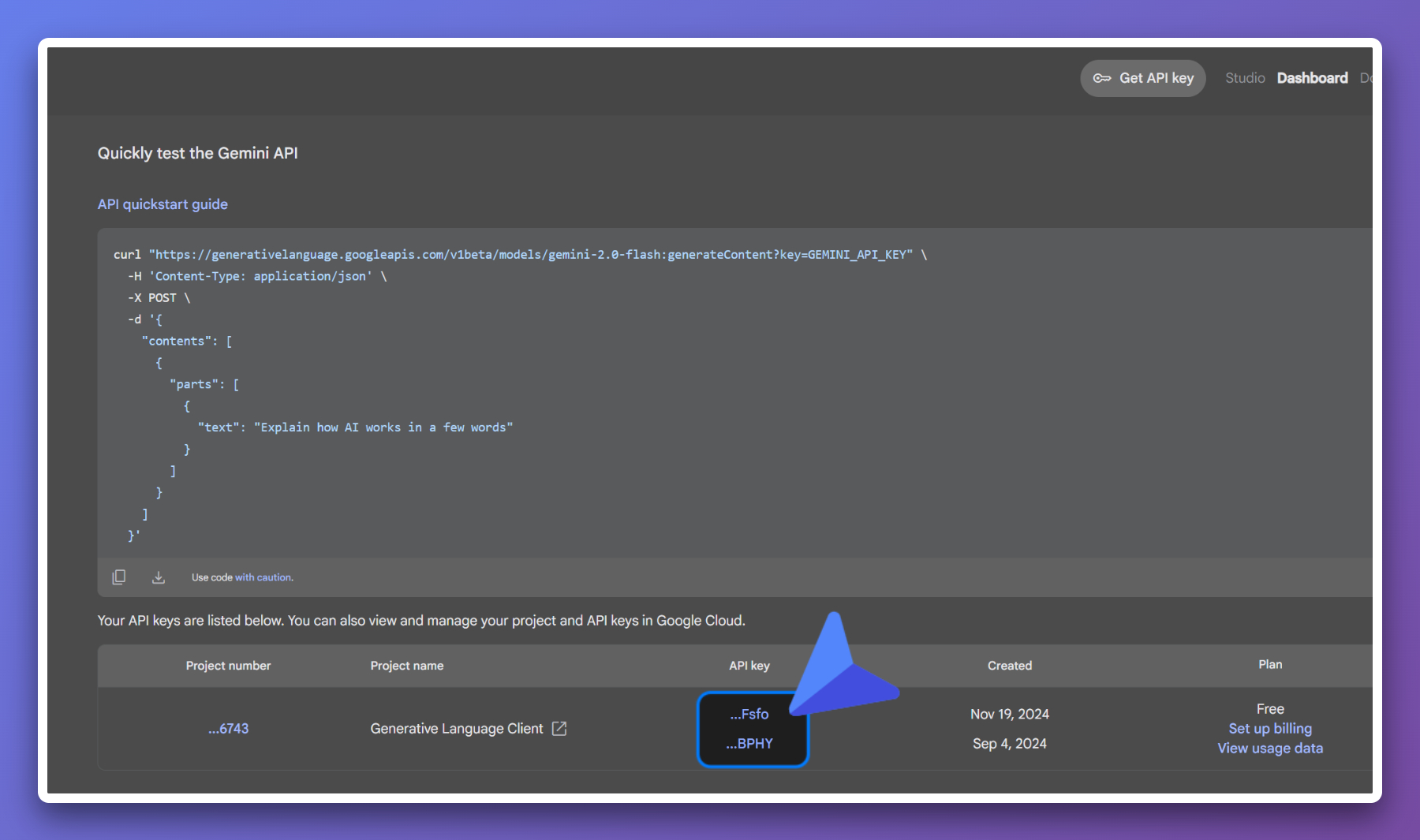
- Create an API Key
- Select "Google Gemini" in the plugin configuration and enter your API Key
OpenRouter
Recommended for:
- Large selection of free models available
- Generous quotas
For free models (model IDs ending with :free).
Currently, popular free models include x-ai/grok-4-fast:free and deepseek/deepseek-chat-v3.1:free
For free models, request rate limits depend on the number of credits you've purchased. If you've purchased at least 10 credits, your free model request rate limit will be 1000 requests per day. Otherwise, your free model API requests will be limited to 50 requests per day.
I recommend topping up 10 credits - this amount is completely sufficient for daily use and development testing. You can also set a Credit limit of 0 to avoid accidentally using credits.
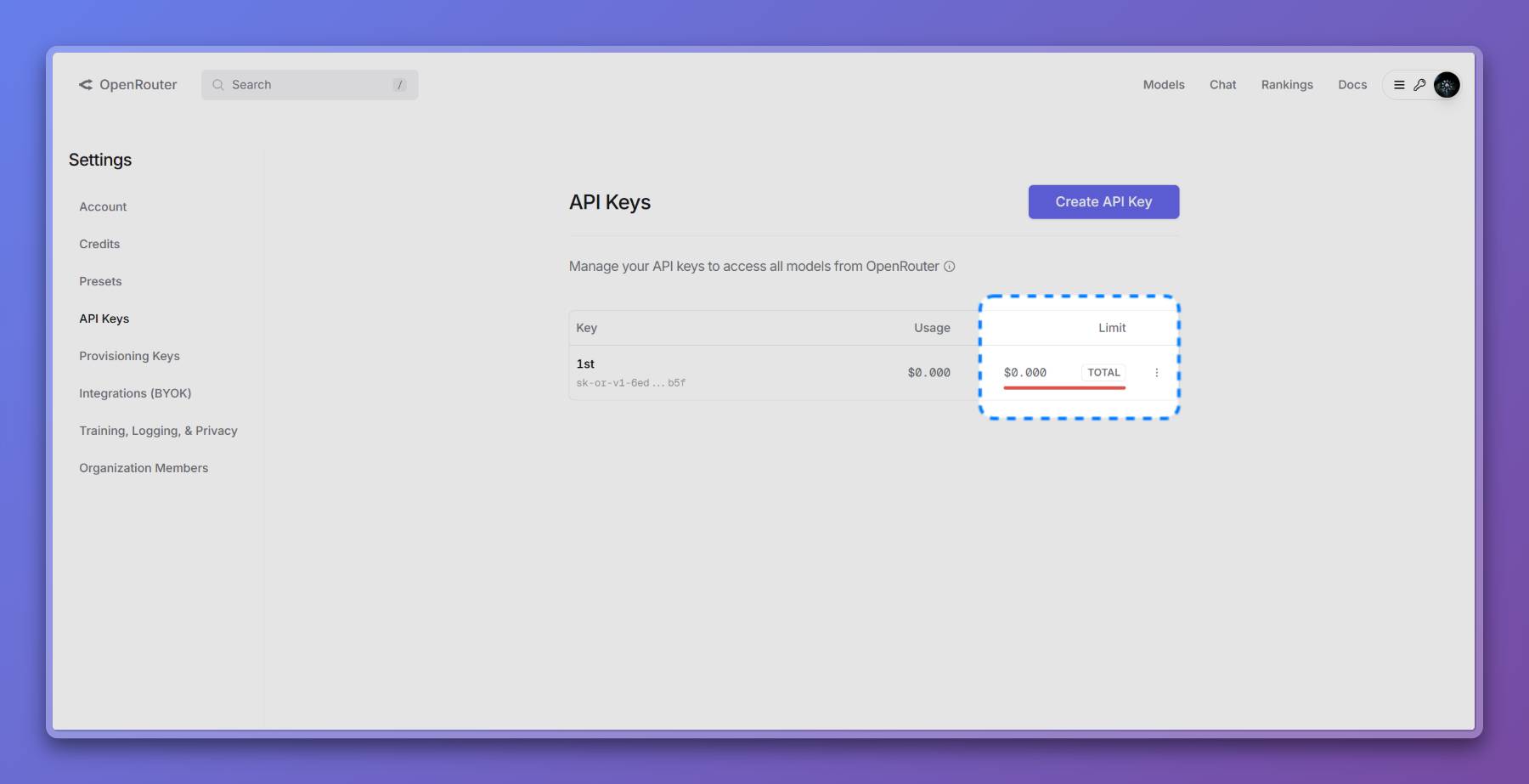
Although you're topping up $10, you don't spend money when using free models, and the quota is quite substantial. So, it could technically be considered free 😂
SiliconFlow
Best for: When you cannot access Gemini or OpenRouter due to network issues
Recommended for:
- Some small models are free to use
- Supports various open-source models
- Relatively slower speed
- Friendly access from mainland China
Disadvantages:
- Free models have high latency and slow generation speed
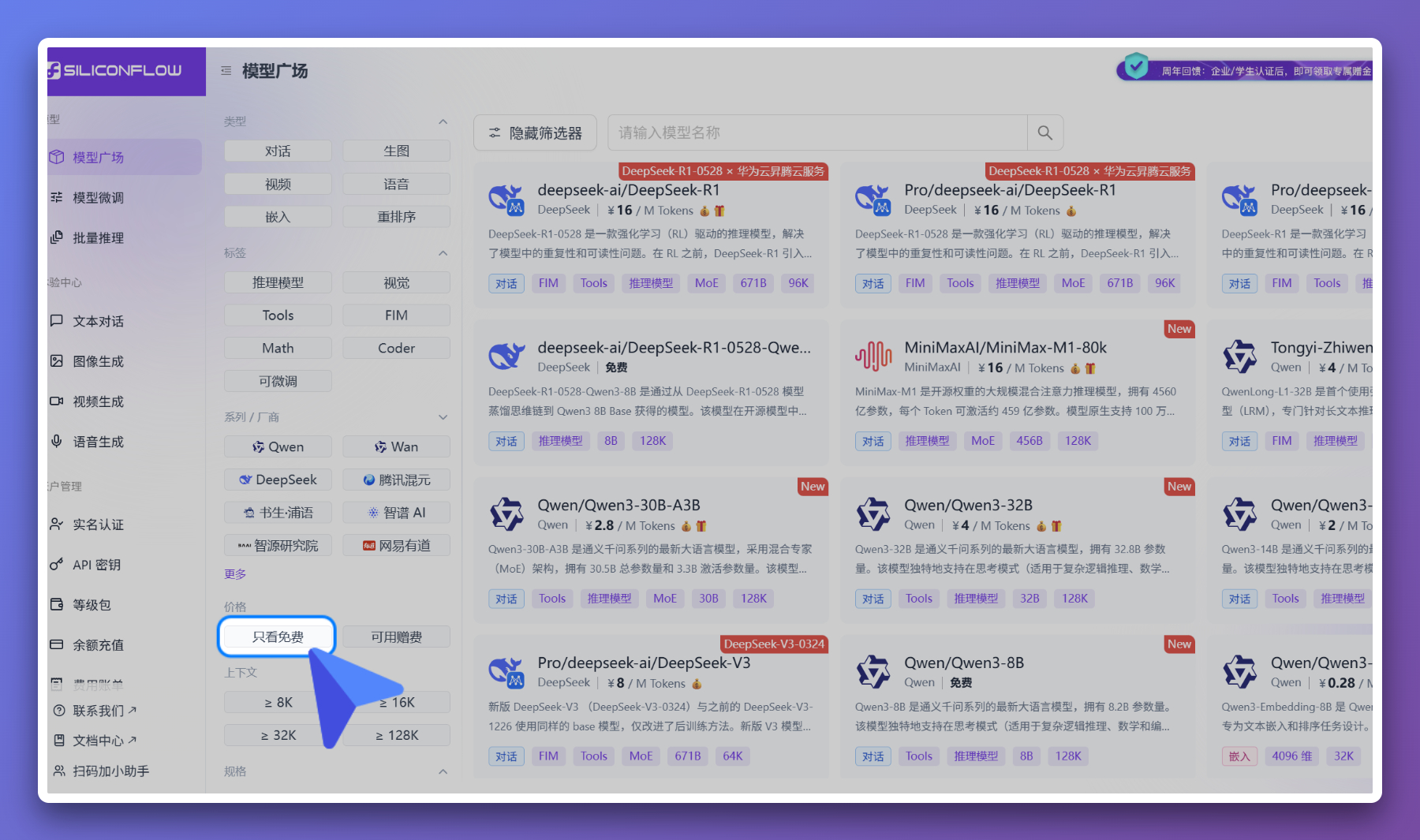
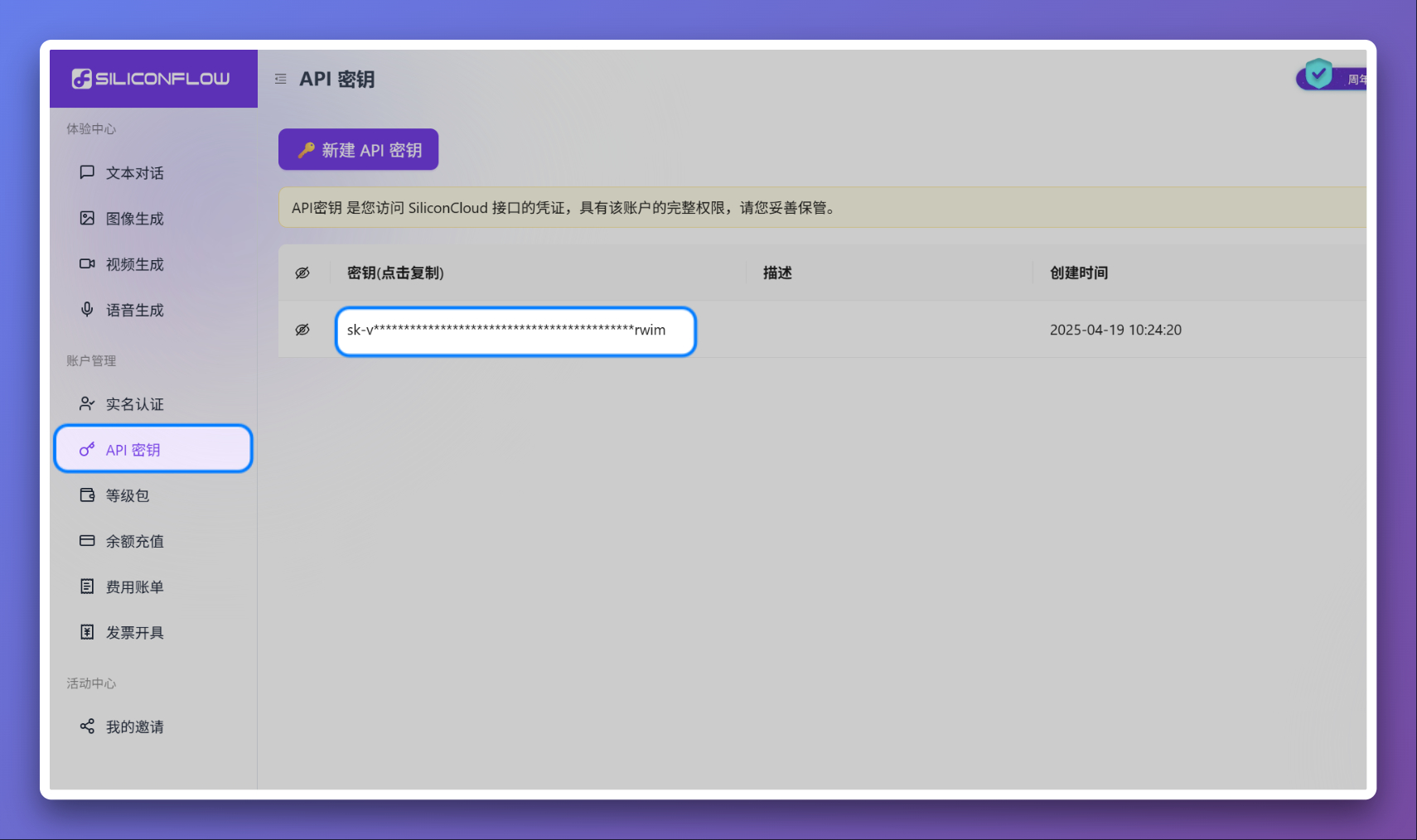
Update 2025.11.23: There's no longer a free filter option, you need to look for models marked as free in the list.
How to get started:
- Visit SiliconFlow
- Register an account and complete verification
- Get an API Key
- Select "Custom" in the plugin configuration and enter SiliconFlow's API address and Key
Community Free Services
Watch for free AI services on forums or social media like linux.do, V2EX, X, etc.
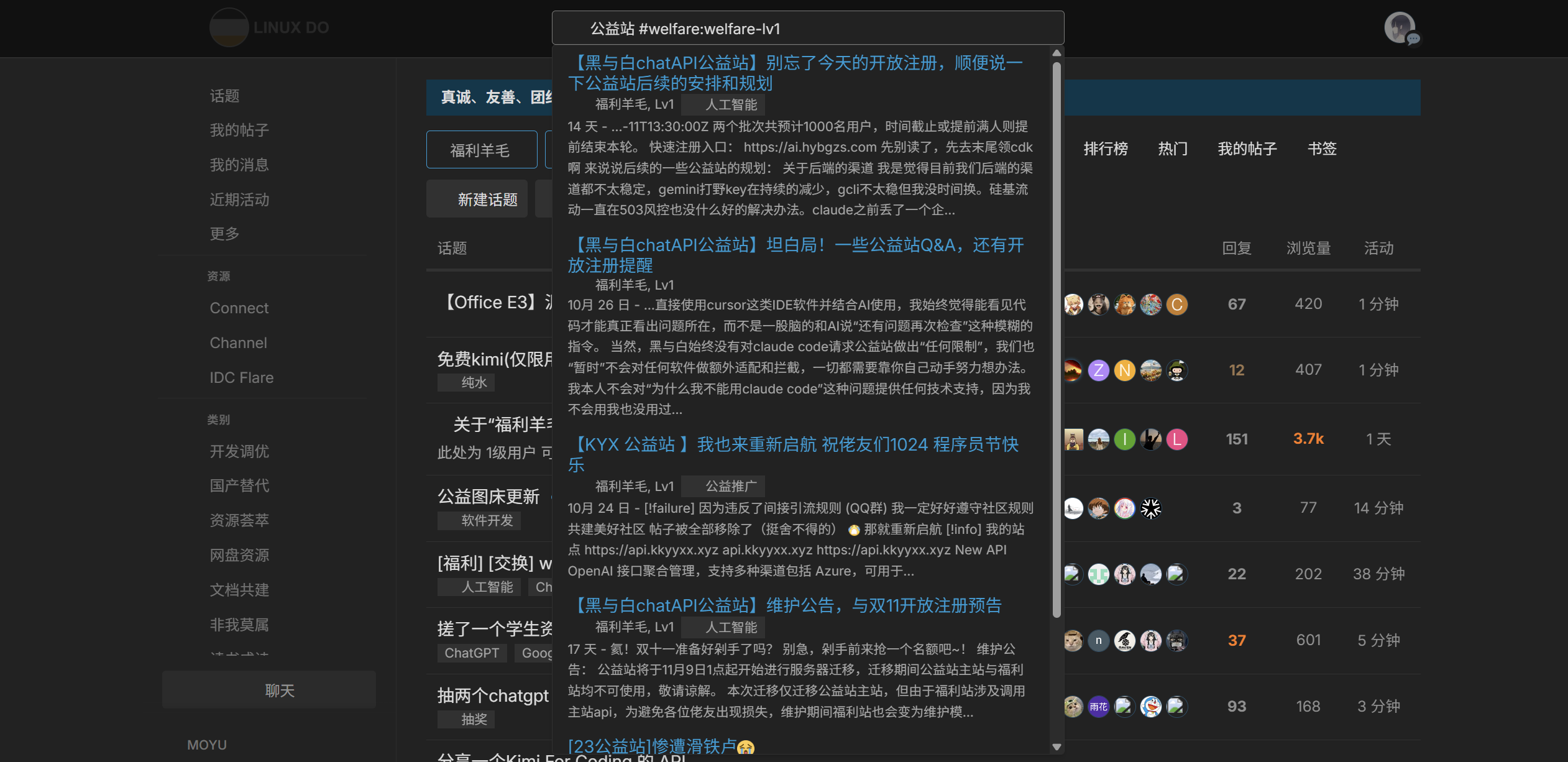
You can find many with a quick search 👆
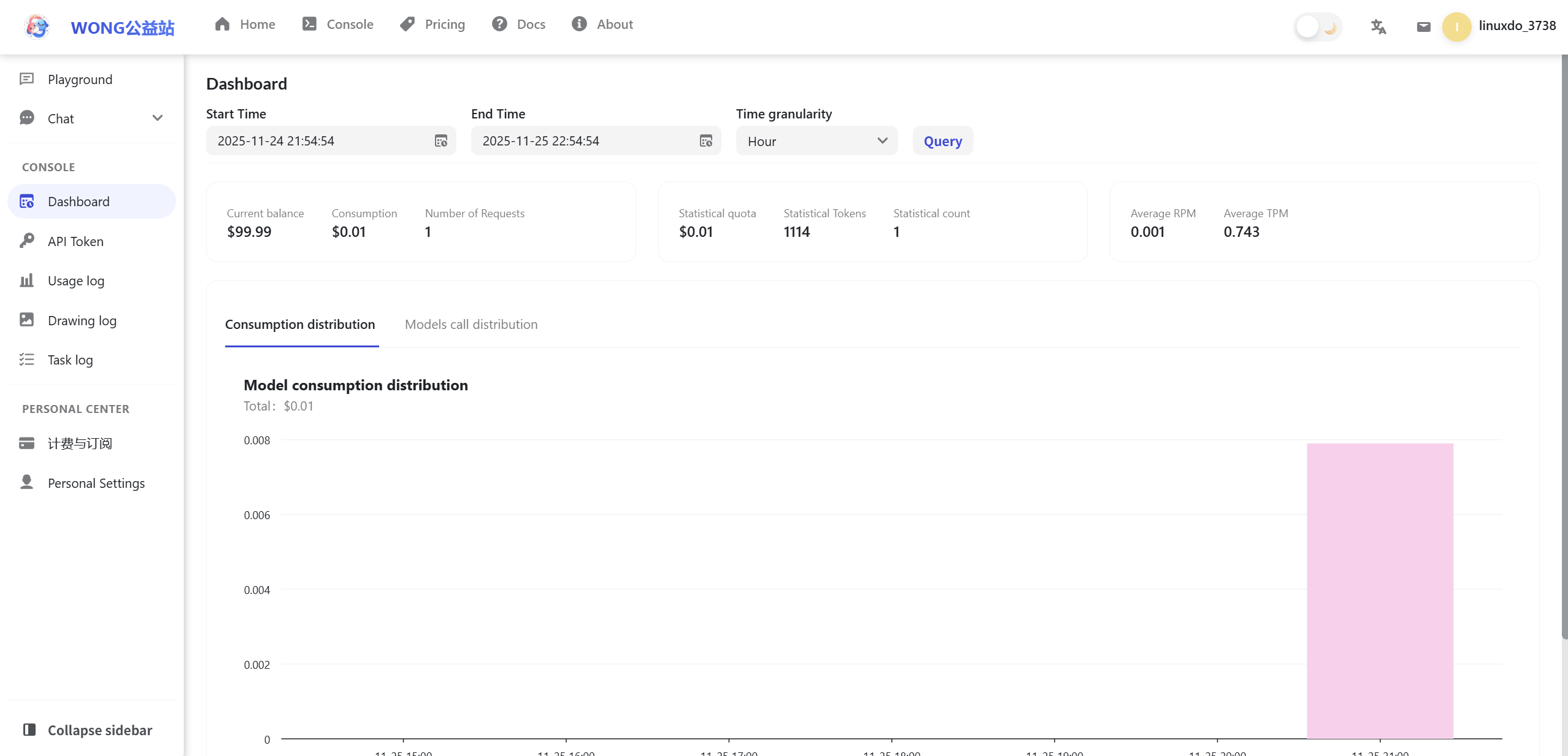
Most community free AI services use a system like this 👇
Paid Options
OpenAI GPT
Official website: https://openai.com/
Features:
- The pioneer that started the AI craze
- Industry-leading (time-limited) AI capabilities
Anthropic Claude
Official website: https://claude.ai/
Features:
- Excels at long-text understanding
- Powerful capabilities with high versatility
- Absolutely leading in programming capabilities
Deepseek
Official website: https://deepseek.com/
Features:
- Super high cost-effectiveness
- Fast response times
BigModel
This is the GLM series.
Official website: https://bigmodel.cn/
Features:
- Strong programming capabilities
- Claude alternative, can smoothly integrate with Claude Code
Important Considerations
Configuration
Almost 100% of providers have OpenAI API compatible interfaces. If the application you're using doesn't explicitly support a specific provider, it almost certainly supports OpenAI-compatible interfaces. Just find the endpoint address and key from the corresponding documentation and fill them in.
Advantages of OpenAI-compatible interfaces:
- Standardized format: Follows OpenAI's API specification with the same request and response formats
- Simplified integration: Applications only need to adapt to one interface to support multiple providers
- Wide compatibility: Almost all AI applications support this interface format
- Complete functionality: Supports core features like chat completions, embeddings, streaming output, etc.
Common OpenAI-compatible endpoint examples:
# OpenRouter
https://openrouter.ai/api/v1

# SiliconFlow
https://api.siliconflow.cn/v1

# Deepseek
https://api.deepseek.com/v1

# Google Gemini (OpenAI compatible mode)
https://generativelanguage.googleapis.com/v1beta/openai/

# BigModel (Zhipu AI)
https://open.bigmodel.cn/api/paas/v4
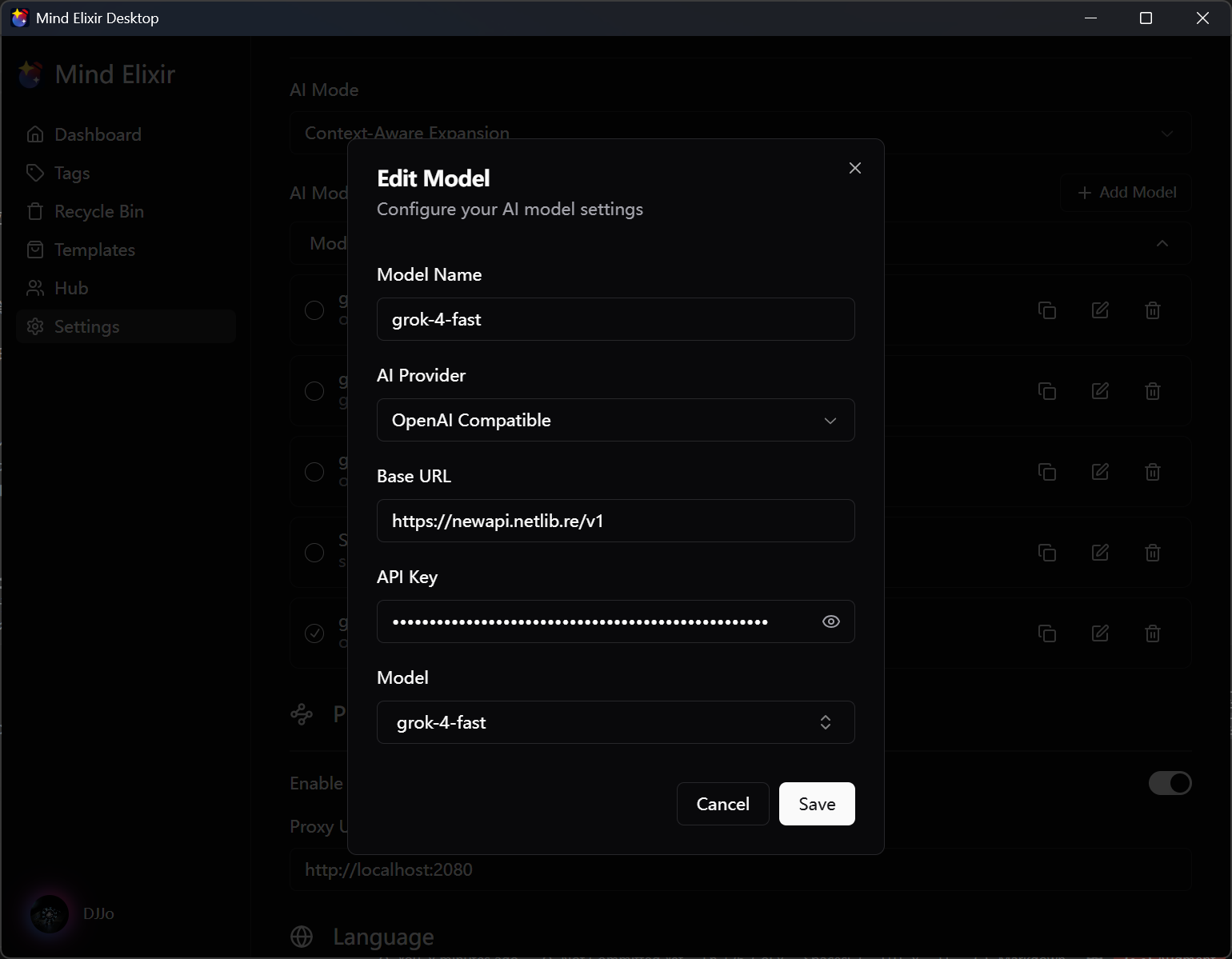
Take Mind Elixir Desktop as an example - you can connect to AI providers by entering the following key data in settings:
- API Endpoint: The API access address provided by the provider. You should refer to your provider's documentation. Most addresses end with
/v1, though there are non-standard ones like Gemini'shttps://generativelanguage.googleapis.com/v1beta/openai/ - API Key: The access key provided by the provider. Remember to keep your key secure
- Model Name: Select or fill in the model name you want to use (some AI tools can automatically search for available models through the endpoint)
Privacy and Security
Giving out your API Key is equivalent to giving up account control. Always ensure your key's security and avoid leaking it to others. Similarly, when using AI applications, you must ensure the application's security to avoid malicious use of your key.
When using non-official services, please confirm the service provider's reputation and security. Avoid using services from unknown sources to prevent data leakage or abuse.
Usage Limitations
- All service providers have usage frequency limits
- Free services may have daily quotas
- Network conditions affect response speed
Troubleshooting
- API Key errors: Check if the key was copied correctly
- Network timeouts: Try changing networks or service providers
- Quota exhausted: Wait for reset or upgrade to a paid plan
Conclusion
The AI service market is quite mature now, and users can choose suitable solutions based on their needs and budget:
- Google Gemini: Excellent performance with relatively generous free quotas
- OpenRouter: Top up $10 to unlock many free models, extremely cost-effective, highly recommended
- SiliconFlow: Backup option for users in China, stable network access
- For programming/development: Anthropic Claude or BigModel (GLM)
- For cost-effectiveness: Deepseek
- Community free services: Community resources, suitable for temporary use
Key usage tips:
- Make good use of OpenAI-compatible interfaces - one configuration works across multiple platforms
- Protect your API Key security, avoid leakage
- Choose appropriate models based on your use case to avoid resource waste
- Pay attention to free policies and quota changes on each platform
As AI technology continues to develop rapidly, services and prices from various providers are constantly adjusting. It's recommended to choose the most suitable solution based on your actual needs and usage frequency. Remember, free is often the most expensive - when choosing service providers, balancing performance, stability, and cost is the wise choice.